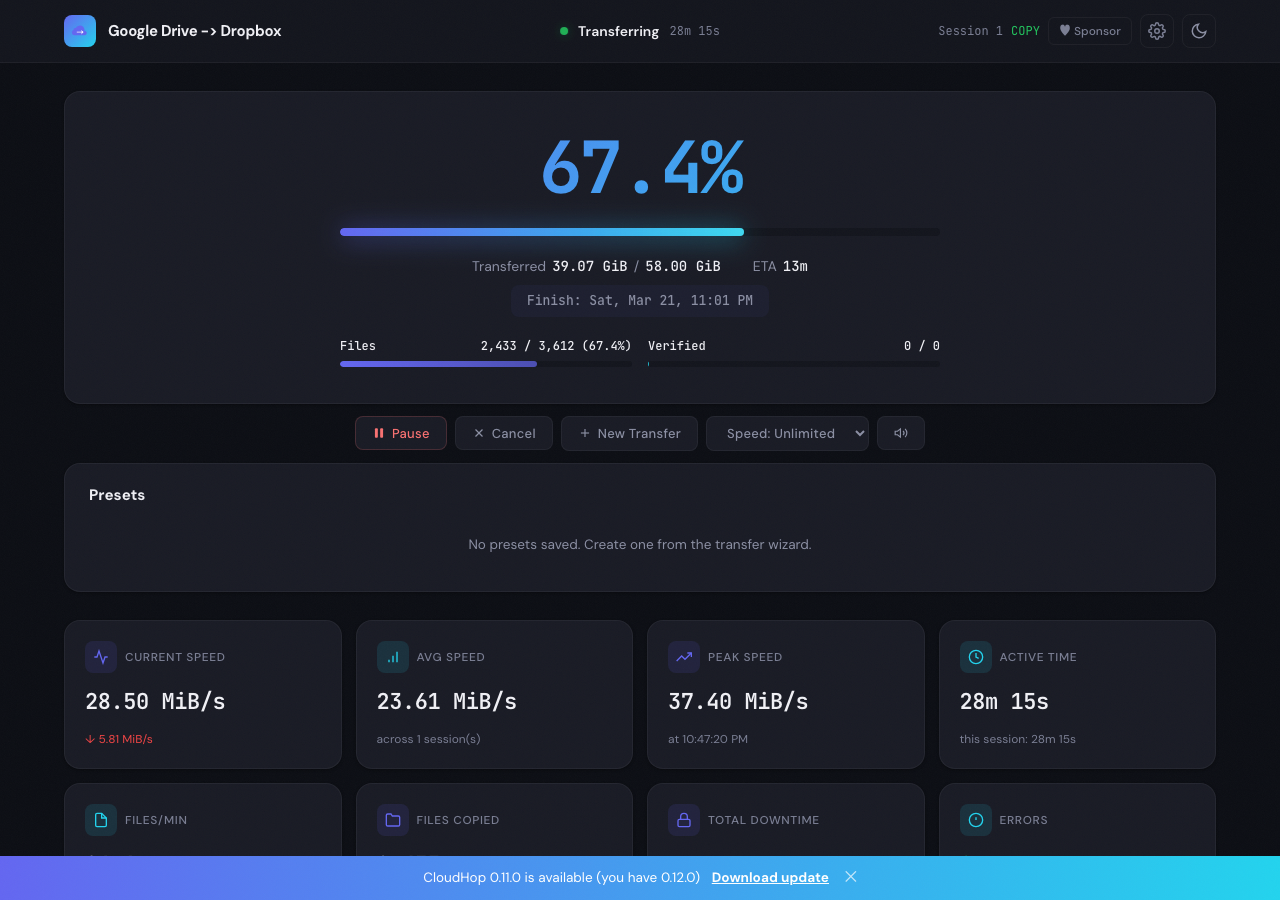
Free, private, no account needed. CloudHop runs on your machine and moves your files directly between 70+ cloud providers.
CloudHop wraps rclone in a clean interface so you can focus on moving files, not reading docs.
No accounts, no telemetry, no tracking. Your credentials stay on your machine and never touch our servers.
Multi-threaded transfers saturate your connection. Move terabytes in hours, not days.
S3, Google Drive, Dropbox, OneDrive, Backblaze B2, Azure, SFTP, and dozens more out of the box.
Internet dropped? Pause any transfer and pick up exactly where you left off. Works across restarts.
Battle-tested rclone engine under the hood. If rclone supports it, CloudHop supports it.
A clean desktop app with dark mode, live charts, and real-time progress tracking.
Set transfer windows, day-of-week rules, and bandwidth limits. Transfers pause and resume automatically.
Queue multiple transfers, save configurations as presets, and copy one source to multiple destinations.
Get notified by email when transfers complete or fail. Configure SMTP in the built-in settings page.
CloudHop ships with an MCP server that connects it to Claude. Control transfers, browse remotes, and check progress through natural language.
View on GitHubNo sign-ups, no cloud middlemen. Just download and go.
Download the app or install via pip. The Mac and Windows apps include rclone. The pip version installs it for you on first run.
Add any provider with a guided setup. OAuth flows open in your browser; tokens are stored locally on your machine.
Pick a source and destination, hit start. CloudHop handles retries, checksums, and bandwidth throttling.
Works with 70+ cloud providers including
Your files go directly from cloud A to cloud B. We never see them, store them, or even know they exist.
CloudHop runs entirely on your machine. There are no relay servers, no accounts, and no analytics. Your data is your data.
Free, open source, and private. Available on macOS and Windows. Install via pip on any platform.